A dead-simple IRC client, for humans and their agents.
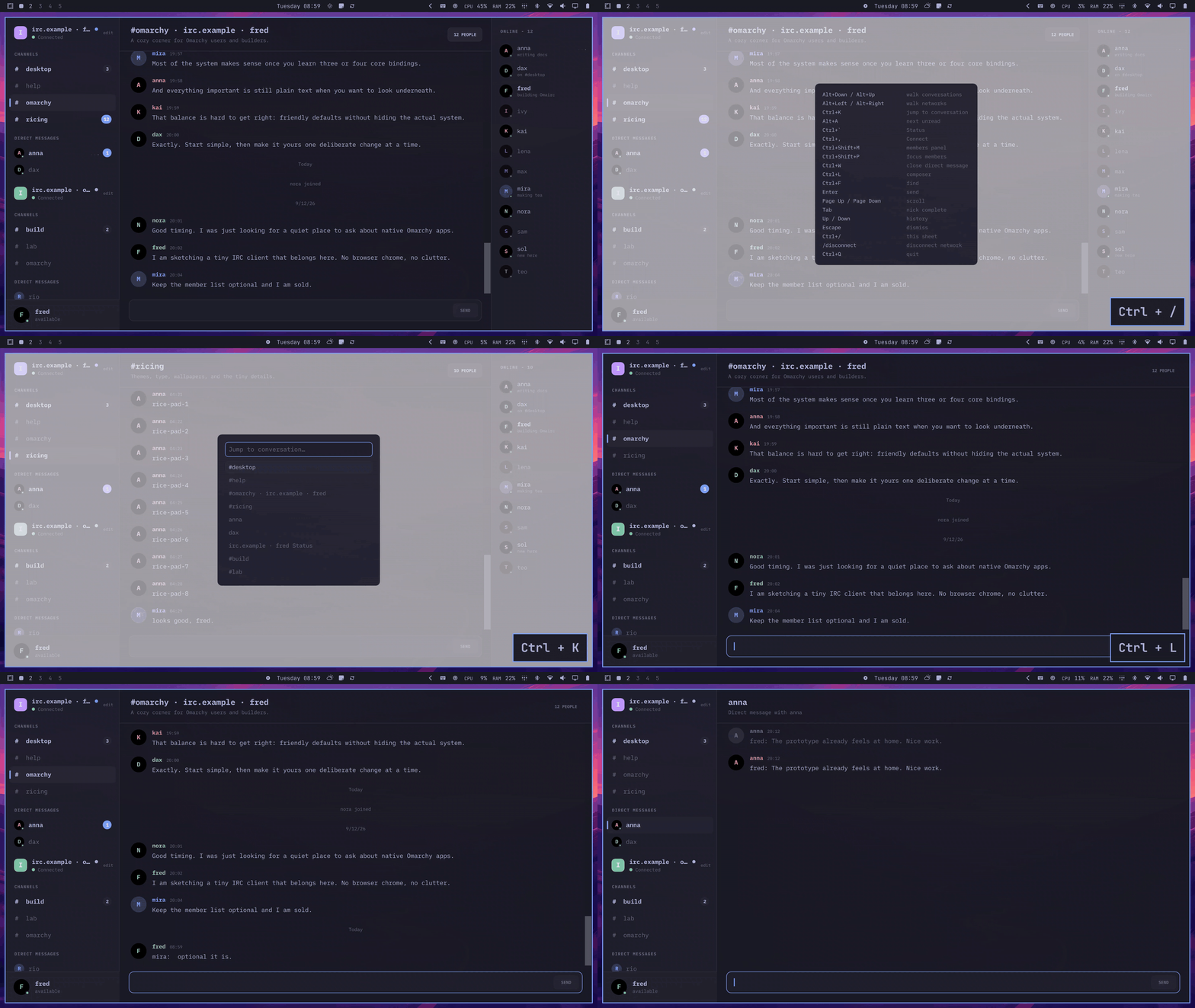
Omairc is a small Qt Quick app that runs one window for you and your agent to share. You chat in it. Your agent scripts it over a socket. Nobody has to leave the room.
Agent-ready CLI
While the window is open, the same binary is also a CLI. It prints one JSON line and exits. An agent can read a channel, check status, or send a message without its own IRC connection.
Your agent talks to the running window. It can fetch recent messages, unread counts, or connections without clearing your badges or changing which conversation you have open.
Keep chatting in one channel while your agent checks another, replies, and leaves.
Everything you'd want from an IRC client
Omairc keeps the feature set an IRC regular expects, without the plugin sprawl older clients accumulate.
#Several networks, one window
Each network keeps its own channels, DMs, nick, and connection state, plus a status console for the handshake and errors.
#Keyboard first
Ctrl+K to jump, Ctrl+Shift+K for nick, Alt+A to the next unread, Ctrl+F to find, tab to complete a nick, and drafts that stay put per conversation.
#Slash commands
The usual set, plus /ignore, /mute, /highlight, and CTCP /ping, /time, /version — replies land right in the asking transcript.
#Notifications that behave
A mention or DM while the window is unfocused raises a desktop notification. Clicking it raises the window and opens that conversation.
#Backlog on arrival
Channels ask for their last 100 lines over CHATHISTORY, a bouncer's playback folds in on attach, and a restart reloads recent history as muted backlog.
#Modern IRCv3
SASL, STS, echo-message, server-time, multi-prefix, away-notify, message-tags, batch, chathistory — with reconnects that back off politely.
#Secrets stay secret
Passwords and NickServ secrets go through QtKeychain into your system's Secret Service. Without one, they stay session-only, and Connect says so.
#One process
A second launch just raises the existing window instead of opening a duplicate — the way a well-behaved desktop app should.
#Dressed in your theme
Colors follow whatever Omarchy theme is active and update live, right down to the bundled iA Writer Mono type.
Get it running
On Omarchy or another Arch-based system, one command installs the latest release. Pick one of the other paths if you'd rather build it yourself.
One command recommended
Adds the pacman repository pointed at the latest GitHub release, then installs it.
curl -fsSL https://omairc-web.pages.dev/install.sh | shSafe to re-run: the repository is only added once, and later runs upgrade to the newest release, so from then on upgrades run through pacman as usual. Read install.sh before piping it if you prefer.
From source
Clones the repo and runs the install script as your regular user.
git clone https://github.com/fredimachado/omairc.gitcd omairc./bin/installmakepkg calls sudo itself when it needs to — you don't have to.
From a release package
Grab the latest .pkg.tar.zst and install it directly, or track updates through pacman.
sudo pacman -U omairc-*.pkg.tar.zstomarchy pkg add omaircThe second option works straight from the Omarchy menu — no repo config needed.
Bugs, ideas, and quick chat
Durable reports go on GitHub. For a fast conversation, find us on Libera.